Your calendar,
on your lock screen.
Daily turns your wallpaper into a real calendar: this month, this week, or the whole year, already on screen when you pick up your phone.
- 7
- calendar views
- 365
- days at once
- 15+
- widgets
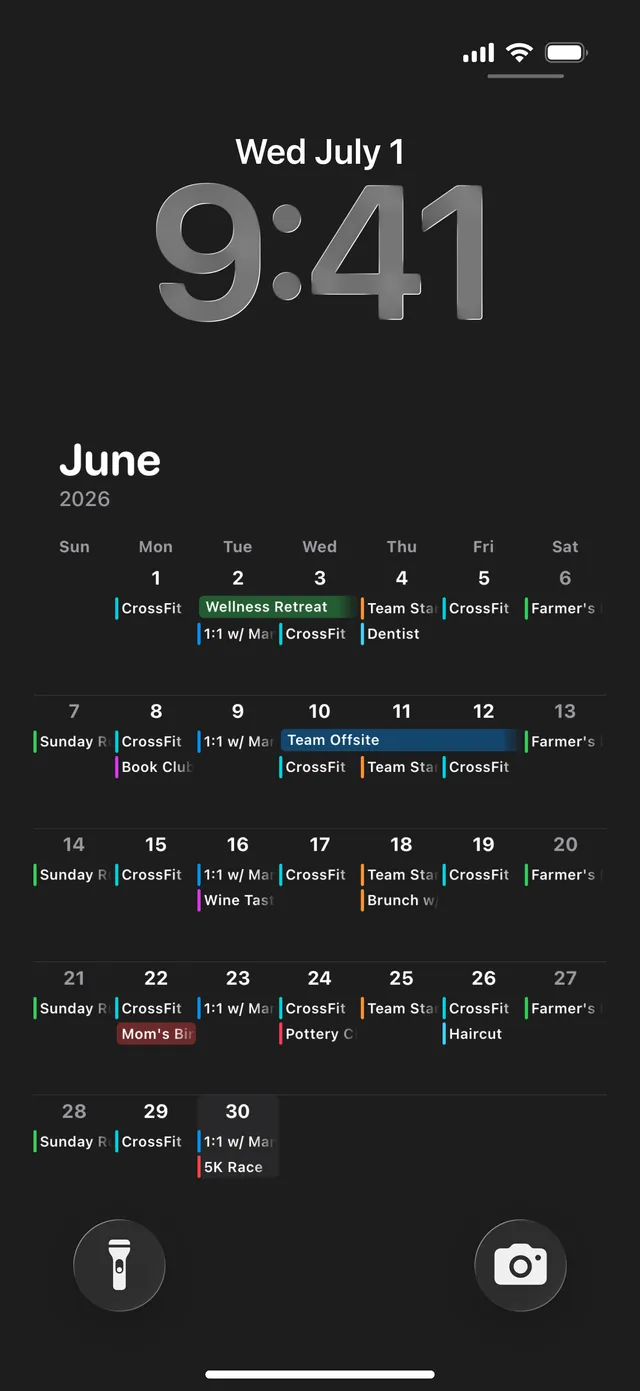
A calendar app only helps when you open it. Daily skips that part. Your month, your events, and the days left in the year sit on your lock screen, so you end up seeing them by accident.
Your photos
Same calendar. Any photo.
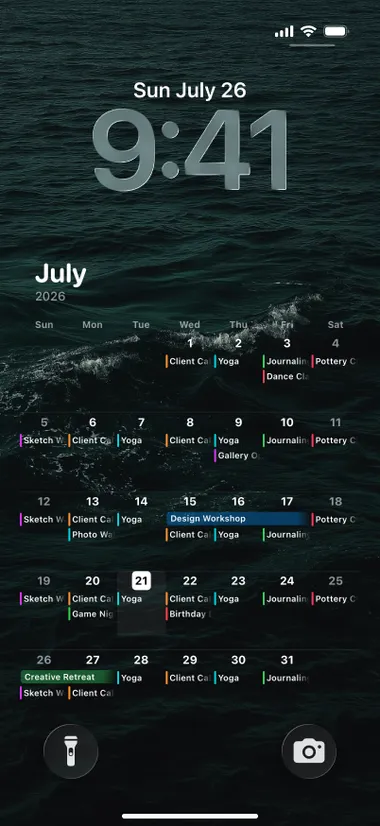
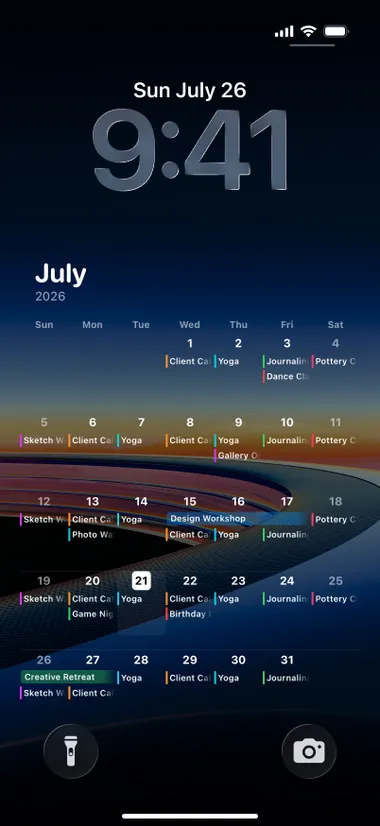
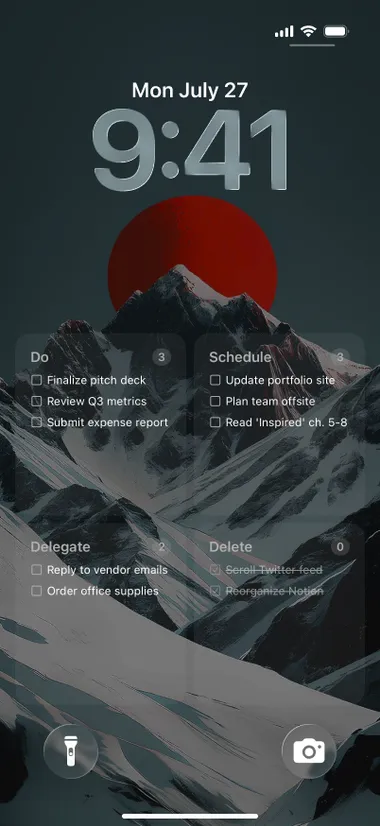
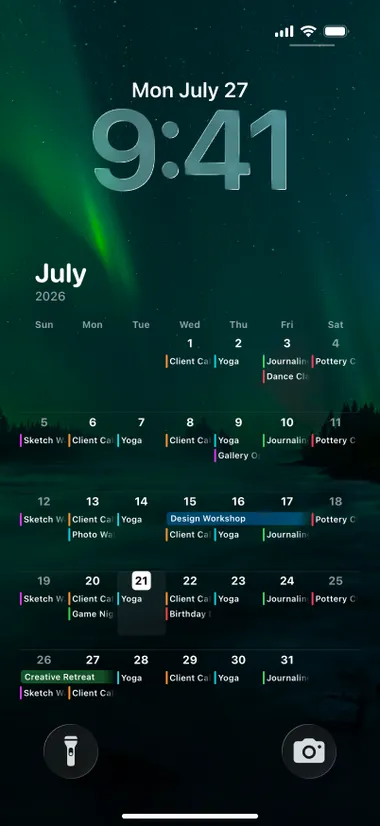
Put the calendar over any picture you like. 35+ themes are built in, or pull your own out of Photos.
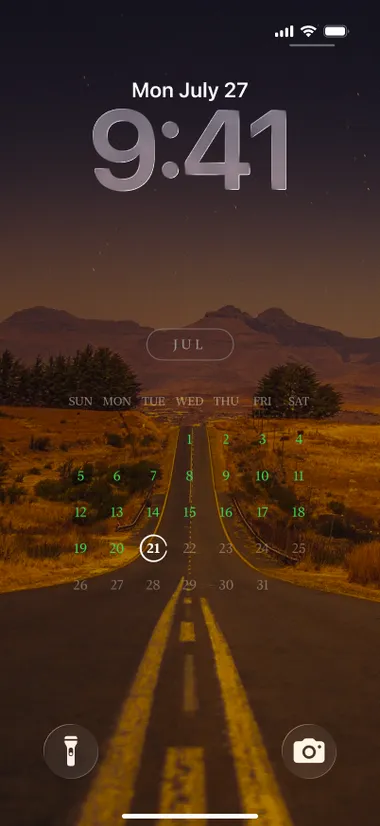
Lock-screen calendar
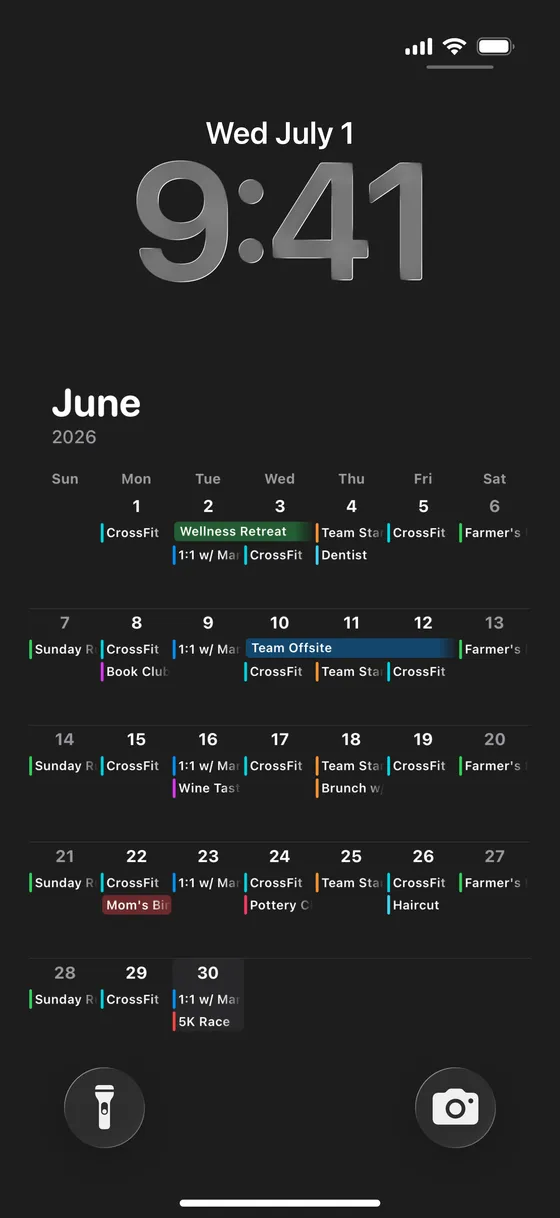
The whole month, as your wallpaper
Daily reads your Apple Calendar and turns it into a wallpaper. Pick up your phone and the month is already there, events and all.
- Your real events, color-coded
- Lock screen, home screen, or both
- No app to open, no tap
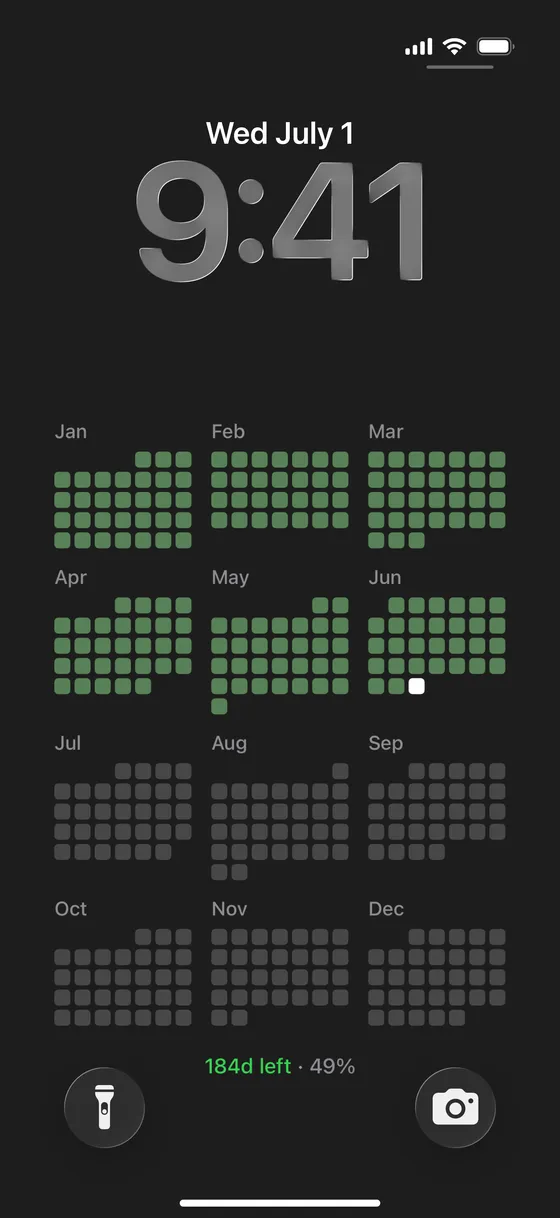
Year calendar
All twelve months, filling in
The year laid out as twelve small grids. Every day that passes fills in, so you can see exactly how far along you are.
- 12 months on one screen
- Days fill in as the year goes
- “184d left · 49%” at the bottom
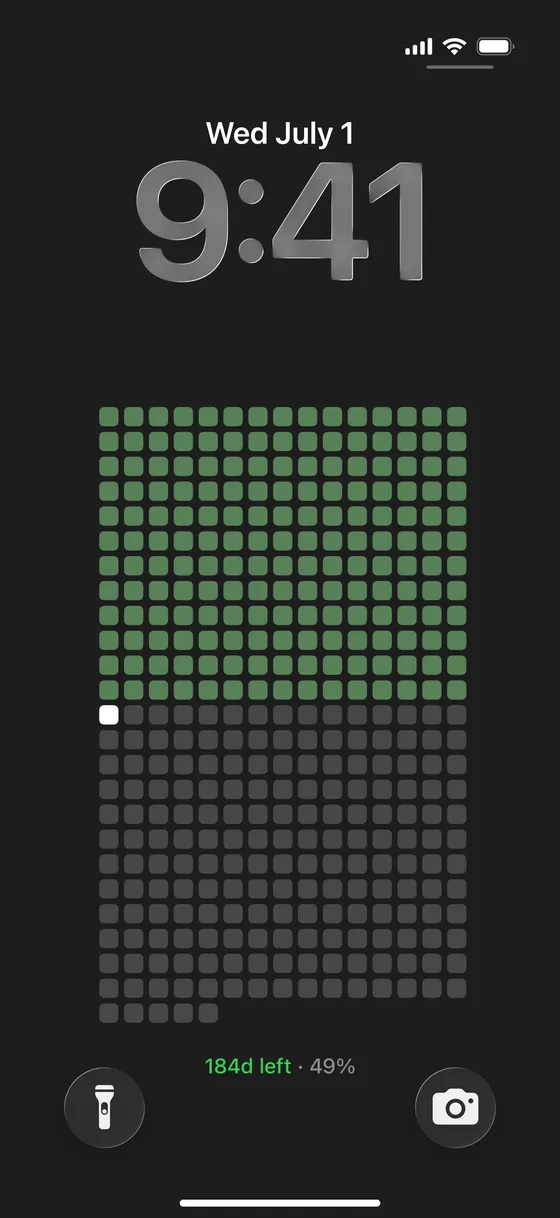
Year in dots
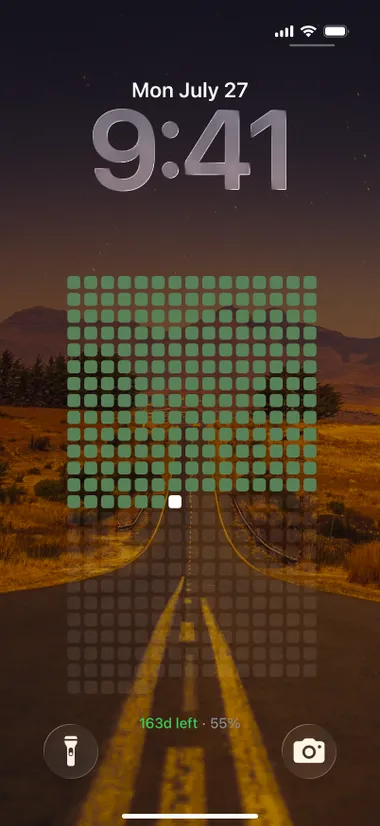
365 days. One dot each.
The same year, closer up. One dot per day, today in white, the rest still waiting. It makes the time left feel real.
- A single dot for every day
- Today always stands out
- Life in Weeks, if you want the long view
This week
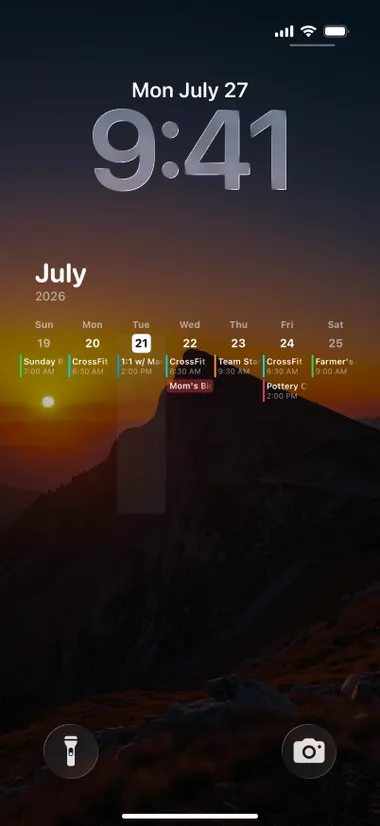
Or just the next seven days
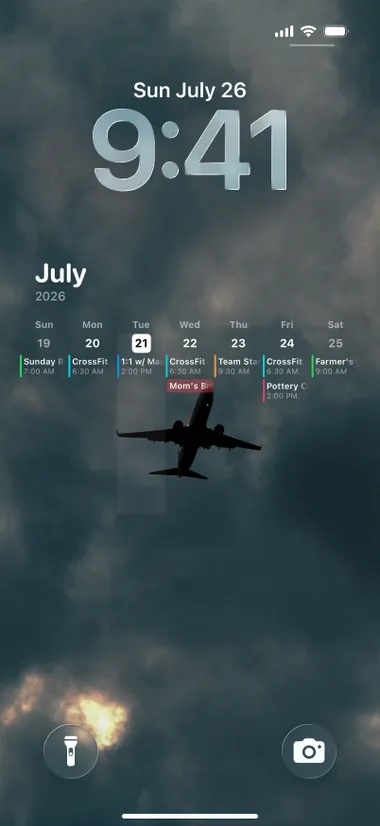
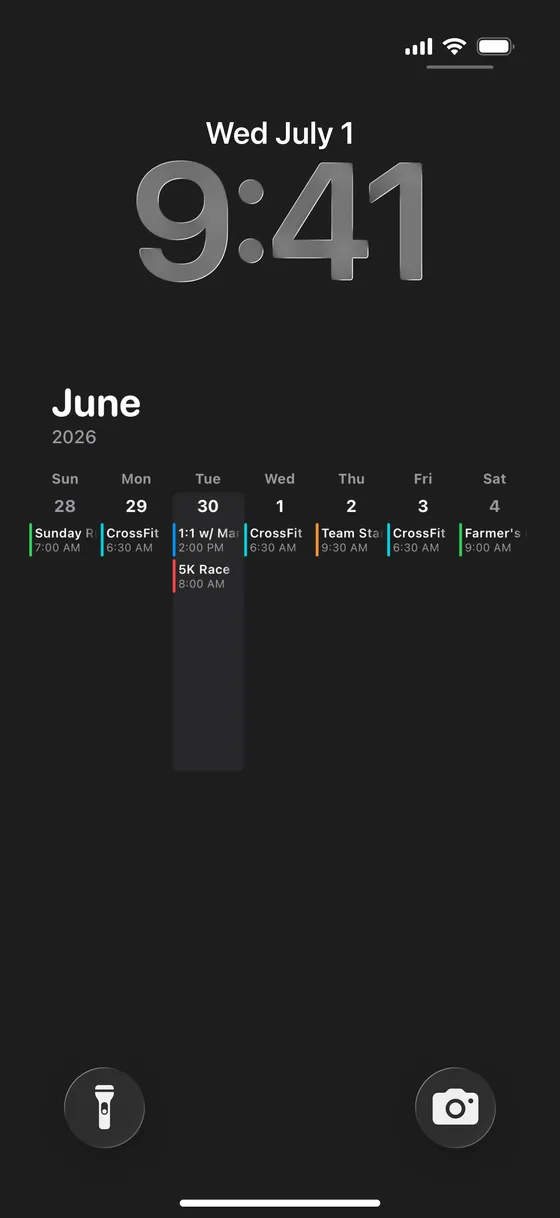
Want something closer? The week view puts each day's events and times right under the clock, so you know how the day looks before you even unlock the phone.
- Every event with its time
- Today highlighted
- Apple Calendar and Reminders, in sync
Styles
Quiet enough to live with
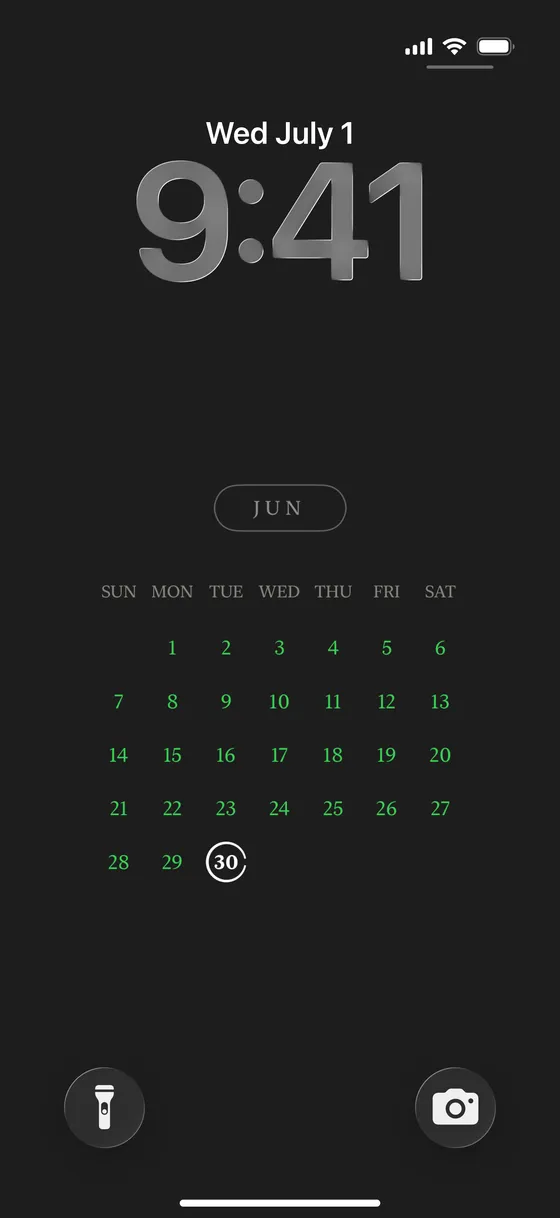
There are seven views: month, week, year, dots, poster, life in weeks, and a countdown to one date that matters. Pick the one you can stand looking at every day.
- 35+ color themes, light and dark
- Your own photo behind the calendar
- Save as an image, video, or Live Photo
The rest of it
Small app. Big glance.
Daily does a few things, in the place you'll actually see them.
It updates itself
Add the built-in iOS Shortcut once. Your wallpaper refreshes every day on its own.
15+ widgets
Year progress, month grid, calendar, countdown, and more, for the home screen and the lock screen.
Apple Calendar & Reminders
Your existing events and reminders show up automatically. Edits sync both ways.
Count down to a date
Set a start and end date and watch the days tick down on your wallpaper.
iCloud sync
Everything stays in step across iPhone and iPad. No account to create.
Habits, if you want them
Track daily habits with streaks and a GitHub-style graph, and sort tasks with the Eisenhower matrix.
How it works
Three steps, about two minutes
No account, no setup wizard.
- 01
Pick a view
Month, week, year, dots, or a countdown. Choose the one you want to see every day.
- 02
Set it as your wallpaper
Daily saves it to Photos. Set it as your lock screen, home screen, or both.
- 03
Let it update itself
Add the built-in Shortcut once and the wallpaper refreshes every morning.
Loved on the App Store
People keep saying the same thing
It's simple, and they finally look at it. A few words from Daily users.
“The UX and UI are so simple it's genuinely amazing.”
“Seeing my whole month at a glance means I don't need a separate schedule app.”
“Wow, this is an amazing app — especially the monthly calendar view.”
“I'm a busy parent and always forget things. This is exactly the app I needed.”
“Practical, clean, and genuinely useful. I bought the lifetime unlock.”
Pricing
Free to use. Premium to make it yours.
Every calendar view, every widget, and the auto-updating wallpaper are free. Premium adds the themes, the photo backgrounds, and lifts the limits.
Free
The calendar, on your screen.
$0
- All 7 calendar views as wallpaper
- Auto-updating wallpaper Shortcut
- 15+ home & lock screen widgets
- Apple Calendar & Reminders sync
- iCloud sync, up to 2 habits and 2 countdowns

Premium
Every theme, no limits.
Monthly · Yearly · Lifetime
Auto-renewing subscription or one-time lifetime · local price shown in the App Store
- 35+ color themes, light and dark
- Your own photos as the background
- Auto-shuffling wallpapers
- Unlimited habits and countdowns
- Custom colors for each calendar
Subscriptions renew automatically unless cancelled at least 24 hours before the period ends. Manage or cancel anytime in your App Store account settings. A one-time Lifetime unlock is also available.
FAQ
Frequently asked questions
What is Daily?
Daily is a calendar wallpaper app for iPhone. It turns your lock screen into a real calendar: this month with your events, the whole year as twelve grids, or all 365 days as dots. You see your schedule and how much of the year is left without opening anything.
How do I put a calendar on my iPhone lock screen?
Open Daily, pick a calendar view, and it saves the calendar to Photos as a wallpaper. Set that photo as your lock screen, home screen, or both. Then add the built-in iOS Shortcut so it refreshes every day. No jailbreak and no extra apps needed.
Does the calendar wallpaper update automatically?
Yes. Daily includes an iOS Shortcuts automation that regenerates the wallpaper on a schedule, usually once a day. Today's date, your events, and your progress stay accurate on their own. You set it up once and it runs in the background after that.
What is the year calendar view?
The year calendar shows all twelve months as small grids on your wallpaper. Days that have passed fill in, and a line at the bottom reads something like “184d left · 49%”. There's also a dot version that shows the whole year as 365 dots, one per day.
Which calendar views does Daily have?
Seven: your Apple Calendar month, the week ahead with times, a minimal current month, a vintage poster month, the year as twelve grids, the year as 365 dots, and Life in Weeks. There's also a countdown view for a single date you set.
Is Daily free?
Yes. All seven calendar views, the auto-updating wallpaper Shortcut, the widgets, Apple Calendar sync, and iCloud sync are free. Premium adds 35+ color themes, your own photos as backgrounds, auto-shuffling wallpapers, and unlimited habits and countdowns. It's monthly, yearly, or a one-time Lifetime unlock.
Does Daily work with Apple Calendar and Reminders?
Yes. Daily reads your existing Apple Calendar events and Apple Reminders, so nothing has to be entered twice, and edits sync both ways. Your calendars, settings, and habits also sync across iPhone and iPad through your own iCloud account.
Does Daily have widgets?
Yes, more than fifteen. Year progress, the month grid, your calendar, a countdown, a contribution chart, Memento Mori, and more. Most come in home screen sizes, and several also work as lock screen widgets underneath the clock.
Is Daily available on Android?
Daily is an iPhone app, built around iOS wallpapers, widgets, and Shortcuts automations. An Android version isn't available yet. If you're on iPhone or iPad, you can download Daily free from the App Store and have a calendar on your lock screen in about two minutes.
The year is already going. Put it where you'll see it.
Free on the App Store. About two minutes to set up.